
South African Banking Apps Compared: ABSA vs FNB Features, Usability, and Real-Life Performance
Most South Africans use banking apps every day, yet many people are still unaware of the full range of features available on the apps already installed on their phones. Simple tasks such as stopping a debit order, applying for a banking product, or getting assistance are often delayed because users believe they need to visit a branch or call a customer service line, only to spend time on hold, run out of airtime, or lose patience.
SOUTH AFRICA GUIDE
1/28/20266 min read
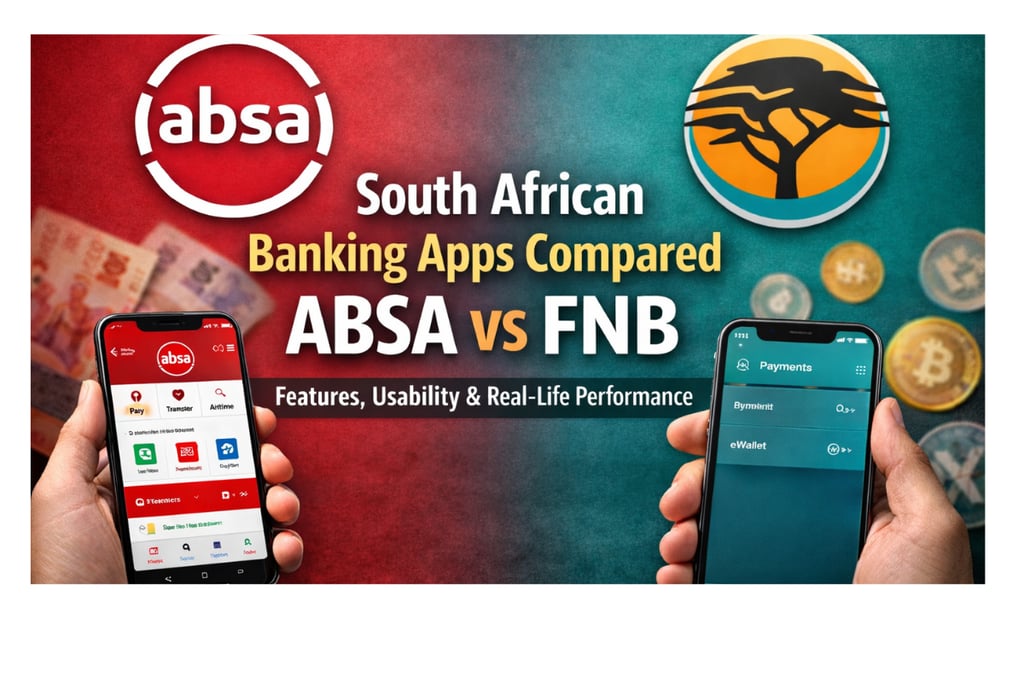
Modern banking apps are designed to reduce these frustrations by placing powerful tools directly in the hands of users. In this article, we compare two major South African banking apps—ABSA and FNB—based on usability, features, and real-life everyday banking performance. While this article focuses on app functionality, you can also explore our comprehensive comparison of South African bank accounts to understand which bank offers the best overall value for your needs.
Feature
ABSA
FNB
Detailed Feature Analysis
1. Login & Access
ABSA
ABSA offers quick access with login completed in just a few seconds. While the app can be used without an active mobile data balance, mobile data must still be switched on. This makes the app accessible even when users have run out of data. This offline capability can be invaluable when you need to buy airtime, mobile data, or electricity. It is zero-rated on most SA networks. You need your mobile data "on," but it won't consume your balance.
FNB
FNB's login process takes slightly longer than ABSA, with a brief loading screen before presenting login options. Unlike ABSA, FNB requires an active internet connection (mobile data or WiFi) to access the app. The app won't function in offline mode.
2. Making Payments & Transfers
ABSA
ABSA features a clean, intuitive interface with clearly labeled 'Pay' and 'Transfer' buttons at the top of the screen. When you tap 'Pay,' you immediately see all payment options including your previously paid beneficiaries, it remembers your frequent recipients immediately on the first screen, making repeat payments extremely quick. The transfer function is equally streamlined, requiring you to populate only two fields: the source account and destination account.
Payment Options:
• Normal payment (standard EFT)
• Immediate payment (real-time transfer)
• Once-off payment
• Cashsend (send money to non-ABSA customers using only a cellphone number)
• PayShap (instant payments to any South African bank)
FNB
FNB also features 'Pay' and 'Transfer' options prominently displayed. However, the navigation is slightly more complex—after tapping 'Pay,' you must select another 'Pay' option within the menu before seeing your saved recipients (beneficiaries). This adds an extra step compared to ABSA's direct approach.
Payment Options:
• Normal payment
• PayShap
• Instant payment
• Once-off payment
• eWallet (similar to ABSA's Cashsend)
• ChatPay (pay via chat interface)
• Geo-Payments (location-based payments, paying someone nearby without their details, FNB to FNB)
ABSA and FNB both support PayShap — a fast, low-cost peer-to-peer payment option — which you can learn more about in our PayShap South Africa guide.
3. EFT Cut-off Times
Understanding cut-off times is crucial to ensure your payments are processed on the same day. Missing the cut-off means your payment will only be processed the next business day.
ABSA
To other banks: 15:30 (Weekdays) and 10:45 (Saturdays).
FNB
Monday – Friday:
• To FNB/RMB accounts: 00:01 – 20:00
• To other banks: 00:01 – 16:45
Saturday:
• To FNB/RMB: 00:01 – 20:00
• To other banks: 00:01 – 10:15
Sunday & Public Holidays: for both ABSA and FNB
• No EFT processing—payments process on the next business day
Understanding cut-off times is just one aspect of managing your banking costs. Transaction fees, monthly charges, and penalty fees can significantly impact your overall banking expenses. Learn how to reduce your bank charges and avoid unnecessary fees with our comprehensive guide.
4. Getting Proof of Payment
ABSA
After completing a payment, ABSA displays a confirmation screen with a 'Download Proof of Payment' option at the bottom. Tap this button to immediately download your proof of payment, which you can then share or save as needed.
FNB
FNB offers a toggle option at the bottom of the payment screen that you can activate to send proof of payment. You can choose to receive it via email, cellphone (SMS), or both. This flexibility allows you to send proof directly to recipients or multiple parties simultaneously.
5. Debit Order Management
ABSA
ABSA makes reversing unwanted debit orders remarkably simple. Navigate to Menu (bottom right corner), select Debit Orders, view all debit orders that have processed on your account, tap the one you want to reverse, and select 'Reverse Payment.' The process is completed in seconds, giving you full control over unauthorized or forgotten subscriptions.
FNB
FNB offers debit order management features through their app. You can view, dispute, and stop debit orders directly from the app. To find this, go to Account > Account Options > My Debit Orders. From there, you can dispute and reverse unauthorized debits (within 40 days).
6. Applying for Bank Products
ABSA
ABSA allows users to apply for banking products directly from the app. By selecting “Apply” during login, users are presented with products available to them based on their profile, making the application process simple and personalised.
FNB
FNB presents a list of available products before you tap 'Continue to Banking' on the login screen. These personalized offerings are based on your profile and banking relationship. Additionally, you can use SecureChat, FNB's in-app messaging service, to speak with an agent who can help you apply for products and answer questions about eligibility.
7. In-App Support
ABSA
ABSA’s in-app support relies mainly on chatbots and frequently asked questions. While these can handle basic queries, the responses are sometimes not well-structured or comprehensive. For complex issues, you'll likely still need to call the customer care service or visit a branch. This is one area where ABSA could significantly improve.
FNB
FNB excels in this area with SecureChat, an in-app messaging feature that connects you with actual human agents. You can get comprehensive assistance with complex queries, applications, and account issues without ever visiting a branch. The response times are generally quick, and agents can handle most banking needs directly through the chat interface.
8. Maintenance & Downtimes
All banking apps require periodic maintenance, during which you cannot perform transactions. These downtimes can put you in a difficult position if you're unaware of them. On both ABSA and FNB this downtime usually occurs between 23:59 and 05:00 on weekends.
9. Paying Large Institutions (Municipalities, Luno, etc.)
Both apps allow you to pay municipalities, cryptocurrency platforms like Luno, and other large institutions. ABSA's process is relatively straightforward, though it may require you to add these beneficiaries manually and verify account details.
FNB streamlines this process with better beneficiary search functionality and pre-loaded popular payees. Many major institutions are already available as selectable beneficiaries, reducing the chance of payment errors and speeding up the process significantly.
10. Trading & Investment Options
ABSA
The ABSA banking app does not include built-in investing or trading functionality. ABSA offers stockbroking services through a separate platform, which requires additional registration outside the main banking app.
FNB
FNB offers built-in investing and trading functionality within the app. Before logging in, users can select “Invest”, choose “Trade Now”, and access market-performing shares, apply filters, and search for specific securities—all without leaving the app. This all-in-one approach makes it convenient for customers to manage both everyday banking and investments in a single app.
11. Rewards Programs
ABSA Rewards
ABSA offers two main rewards programs. First, ABSA Rewards allows you to earn points when shopping at partner retailers including Checkers, Clicks, and Pick n Pay. These points convert to cash that you can use however you like. Second, ABSA Advantage provides monthly challenges—complete them to earn R50 shopping vouchers. These rewards add tangible value for regular shoppers.
eBucks (FNB)
FNB's eBucks program is one of South Africa's most established banking rewards systems. Earn eBucks points shopping at partner retailers like Checkers, Clicks, and Pick n Pay. What sets eBucks apart is the flexibility—you can redeem points directly in the FNB app to purchase airtime, mobile data, electricity, fees, fuel, and various vouchers. This makes your rewards immediately useful for everyday expenses.
Summary: Which App Is Right for You?
Both ABSA and FNB offer robust banking apps with comprehensive features for everyday banking needs. Your choice ultimately depends on your priorities.
ABSA is better suited for users who value simplicity, fast access, and strong debit order management. It performs exceptionally well for everyday banking tasks with minimal complexity.
FNB, on the other hand, is ideal for users who want advanced digital banking features, in-app investing, comprehensive payment options, and strong human-based customer support.
Choose ABSA if:
• You need offline access to basic banking functions
• You want simpler navigation for payments and transfers
• Easy debit order reversal is important to you
• You're primarily focused on everyday banking and rewards shopping
Choose FNB if:
• You want integrated investment and trading capabilities
• Superior in-app customer support is a priority
• You frequently pay large institutions or municipalities
• You value flexible rewards redemption for everyday expenses
• You have reliable internet access and don't need offline functionality
Both apps continue to evolve with regular updates and new features. I recommend exploring your current banking app's full capabilities—you might be surprised by how much you can accomplish without visiting a branch or calling customer service. The convenience and time savings can be substantial once you familiarize yourself with all available features.
Bucks Insights
Your guide to practical finance and investing.
Tips
Investing
info@bucksinsights.com
083-577-6145
© 2025. All rights reserved.